Set PowerShell ConstrainedLanguage Mode per Group Policy

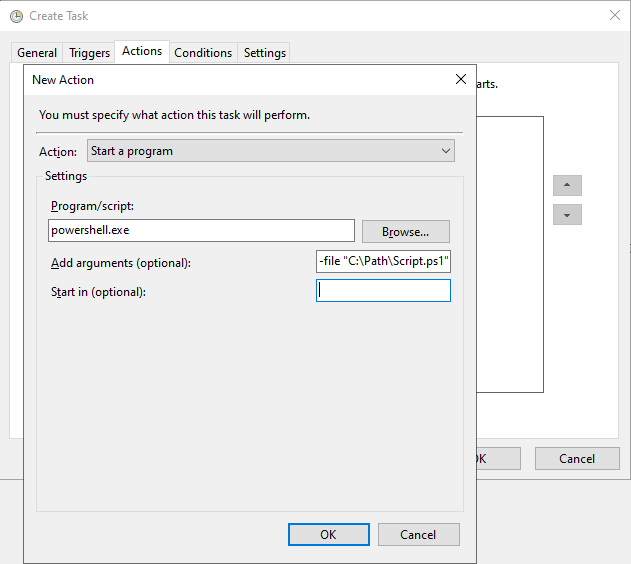
PowerShell Language Modes are a way to restrict the functionality of PowerShell to increase the security of a system. Of course, this is only one small piece in a larger security strategy, so this alone is not sufficient protection for a system. At the same time, it’s also a double-edged sword: Advantage: we remove a powerful tool from potential attackers. Disadvantage: We as administrators can no longer use PowerShell properly on a system either. ...

2023-05-20 · 6 min · Andreas Dieckmann

Exchange EAC stopped working after decomissioning all Mailbox Databases

I had this weird issue with a Exchange Server environment: The company had an Exchange Server 2016 DAG and migrated all User Mailboxes to Exchange Online. I then installed a fresh Exchange Server 2019 for Recipient Management and SMTP-Relay. To use the Exchange Server 2019 Hybrid License, I did not create a Mailbox Database. I removed all remaining System Mailboxes and Arbitration Mailboxes from the Exchange 2016 Servers. I decomissioned the DAG and uninstalled Exchange from the old Servers. ...

2023-05-16 · 3 min · Andreas Dieckmann

Use ntfy.sh with Home Assistant

Just a quick note if you want to use ntfy.sh with Home Assistant. Setup I added the following section to my /config/configuration.yaml file: 1 2 3 4 5 6 7 8 9 10 11 12 13 shell_command: ntfy: > curl -X POST --url 'https://ntfy.sh/{{ topic }}' --data '{{ message }}' --header 'X-Title: {{ title }}' --header 'X-Tags: {{ tags }}' --header 'X-Priority: {{ priority }}' --header 'X-Delay: {{ delay }}' --header 'X-Actions: {{ actions }}' --header 'X-Click: {{ click }}' --header 'X-Icon: {{ icon }}' Usage To send send a notification, I use this YAML action in an Automation. It’s not necessary to provide all parameters. I ran with these four. As far as I know: Theoretically only topic is required by ntfy. But this simple shell_command action does not check if you set a topic. ...

2023-02-12 · 2 min · Andreas Dieckmann

Automate Exchange Online with Azure Automation in 2024

If you want to manage Exchange Online via Azure Automation, Managed Identities is what you should use (this statement was last checked in June 2024). Legacy approach In the past, RunAs Accounts or Plaintext Credentials (🤢) were also commonly used for this purpose, but this is now considered deprecated. RunAs accounts will be discontinued by fall 2023. And I don’t have to say anything about plaintext passwords, do I? You could still use App Registrations in Entra ID, but if you really just want to automate some Exchange settings via Azure Automation, it’s not really necessary. ...

2023-01-09 · 4 min · Andreas Dieckmann

Set Azure AD Connect Staging Mode via PowerShell

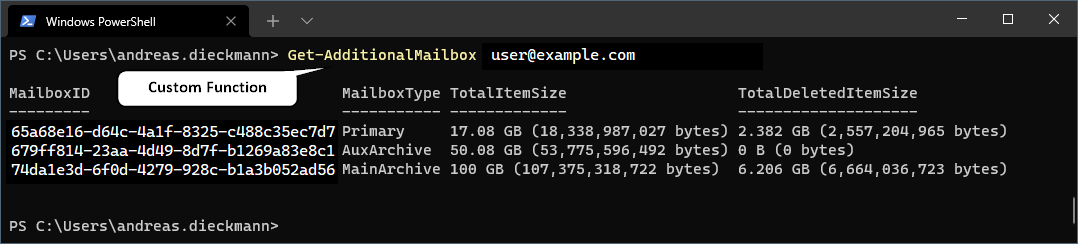
Here’s a quick tip on howto enable or disable the Staging Mode in Azure AD Connect via PowerShell. Sadly there is no native Cmdlet in the style of Set-ADSyncStagingMode or something like that. In this article I’ll first explain the approach and then later on list the full command block you can use. So feel free to skip below to the end of the post. The following PowerShell Cmdlets have to get executed on the Azure AD Connect Server. ...

2022-07-21 · 2 min · Andreas Dieckmann

Exchange Server Setup Incomplete but fails to complete

I had an issue with a broken Exchange Server 2016 CU23. Or rather it was not fully installed. It was just a test environment, but I thought it would be useful or interesting to drill down on that issue. I’ll guide you through my troubleshooting steps / thought process. ...

2022-06-23 · 8 min · Andreas Dieckmann

How to remove all merged Git Branches on Windows

Here’s a quick tip on howto remove Git Branches that were already merged (thus not necessary to keep around anymore) locally on Windows, using PowerShell. Assuming that you do have Git for Windows installed. Execute these commands on your own risk. List all merged branches You can list all merged Git Branches by running: 1 git branch --merged Exclude current branch and “main” branch Then we |-pipe it into the following, to exclude the currently selected branch (marked with an asterisk *) and the main branch. This regex filter query does not aim to be universally good. So if you have branches that include the term main in their name, those will be excluded aswell. I didn’t care to optimize, because I don’t name my branches in such a weird way. ...

2022-06-21 · 2 min · Andreas Dieckmann

How to get Group Membership count with Microsoft Graph API

Apparently it’s not that easy to get the amount of members of a group with the Microsoft Graph API. We need to specify the additional header ConsistencyLevel: eventual to use the Advanced Query Capabilities. Then we can use the Query parameter $count. Alternatively I found that I could also add it as an URL query parameter instead. That would be &ConsistencyLevel=eventual. Example Queries Replace the Group ID (02bd9fd6-8f93-4758-87c3-1fb73740a315) with your desired Azure Active Directory Group ID. Try the query in the Microsoft Graph Explorer here. ...

2022-06-16 · 1 min · Andreas Dieckmann

How to configure MFA methods for Azure AD

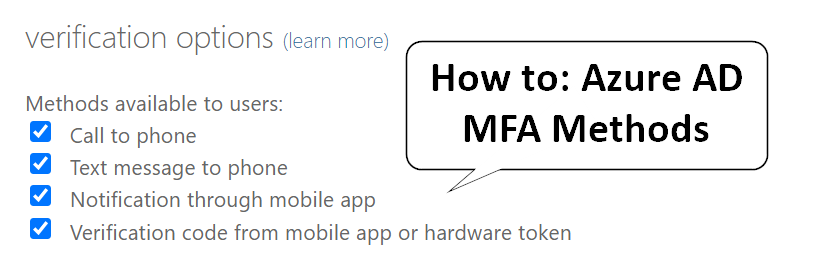
This post is outdated. The “authentcation methods policy” is now easily available in the Entra portal. You might still need to migrate from the legacy settings, read the whole article at Microsoft Learn. OLD POST for reference In my opinion the official Microsoft Documentation lacks of any clear information on where to configure the allowed MFA methods for Azure AD. So if you’re also wondering on how to configure the allowed Multi-Factor-Authentication methods for Microsoft 365, you’ve come to right place. ...

2022-02-02 · 1 min · Andreas Dieckmann

List all Users with administrative roles in a Microsoft 365 environment

Option 1: Use M365 Admin Portal There is finally a way in the main Microsoft 365 Admin Portal. Go to “Roles” -> “Role assignments” and click on “Export admin list” to get a CSV file with all admins and their roles. Option 2: Use PowerShell / Azure AD Graph Module Just a short PowerShell snippet to list all users with administrative roles in a Microsoft 365 (or Azure AD) environment. Please note that this uses the older Azure AD Graph Module (already planned for deprecation). I don’t have an example code that uses the newer Microsoft Graph API yet. ...

2021-12-13 · 2 min · Andreas Dieckmann